 GridPaw
How to Play Kakuro (Cross Sums)
Kakuro (also called Cross Sums) is a Japanese logic puzzle often described as
a mathematical crossword. Every horizontal or vertical run of white cells must
add up to the clue sitting at its start, and no digit may repeat
inside a run. It looks a bit like Sudoku, but instead of placement
rules you reason with sums and number combinations — e.g. a two-cell run of
17 can only be 8 + 9. GridPaw Kakuro is free, runs
entirely in your browser, and adds two twists: 4 guided tutorial
lessons and a paw-print fog mode (from the first
Medium level) that hides part of the board until you've solved the visible
block.
Your First Puzzle
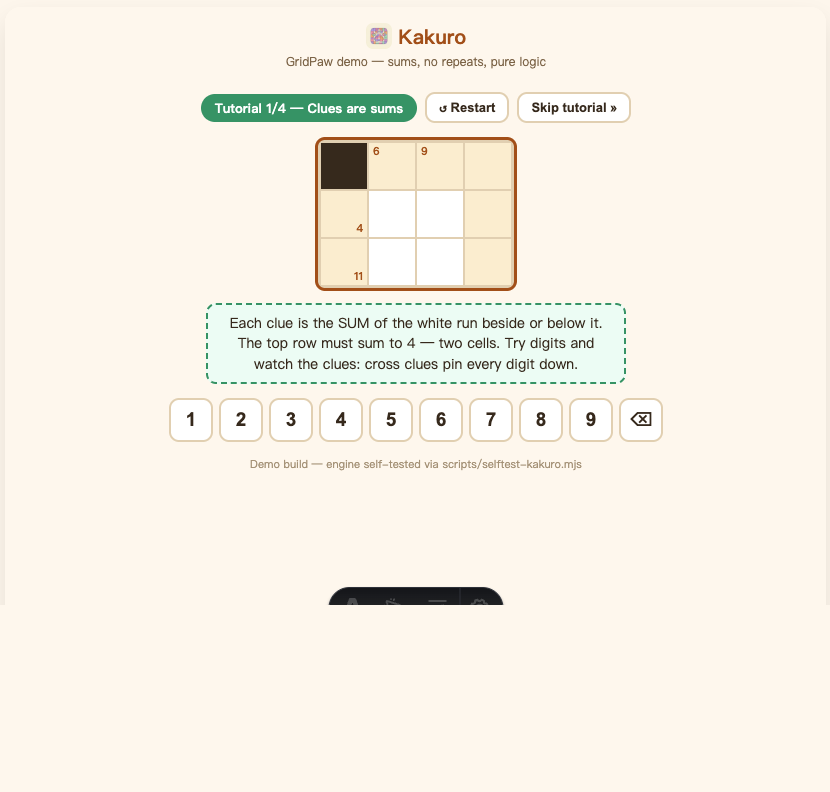
- Open the game. Go to gridpaw.com/kakuro. You start on Tutorial 1/4 — "Clues are sums", a tiny guided board. Solve it and the next lesson auto-loads (there is no win popup in the tutorials — just a checkmark message).
- Select a white cell. Click or tap it — it gets an orange outline. The keypad below the board (1–9) now shows you which digits are legal in that cell: amber-ringed digits are OK, struck-through digits are already used elsewhere in the run, and digits on a pink background would push the run past its clue sum.
- Fill the digit. Tap a key (or press 1–9 on your keyboard). Each cell belongs to two runs — one across and one down — and both must eventually hit their clue sums without repeats. Tap the 🗑-style ⌫ key (or Backspace / Delete / 0) to clear the selected cell.
- Finish the board. The moment every white cell is filled correctly, the "Solved!" popup appears. The tutorial lessons teach you the clues; the four lessons cover: sums, no-repeats, extreme clues (17 = 8+9), and a bigger combined board.
Optional: during the tutorials you can press "Skip tutorial »" to jump straight into the campaign.
Every Button on the Screen
| Button | What it does |
|---|---|
| ↺ Restart | Discards the current puzzle and generates a fresh one at the same level (same difficulty/fog layout, different board). |
| Skip tutorial » | Only visible during the 4 tutorial lessons — jumps straight to Level 1 of the campaign. |
💡 Hint (badge shows 3) | Highlights the single best cell to fill next and tells you the digit, e.g. "Fill 8 in row 2, col 3 — the green key." 3 free hints per level, refills on every new level. Not available during the tutorials. |
| Medium 6×6 / Hard 7×7 | Quick-jump buttons (shown once past the tutorials) that land you on the first fog level of that difficulty — handy for previewing fog mode. |
| 🔢 Keypad 1–9 + ⌫ | Digit entry for the selected cell; ⌫ clears it. |
| Next level → (after winning) | Moves to the next puzzle; past the campaign it starts the endless daily rotation. |
| 📋 Copy / 𝕏 Share / 👽 Reddit (after winning) | Copy a text summary or open the share card with Copy Image / Save / post options. |
Hint: after placing a digit the selection automatically jumps to the next empty cell, so you can flow through the board without re-clicking.
Fog Mode: The GridPaw Twist
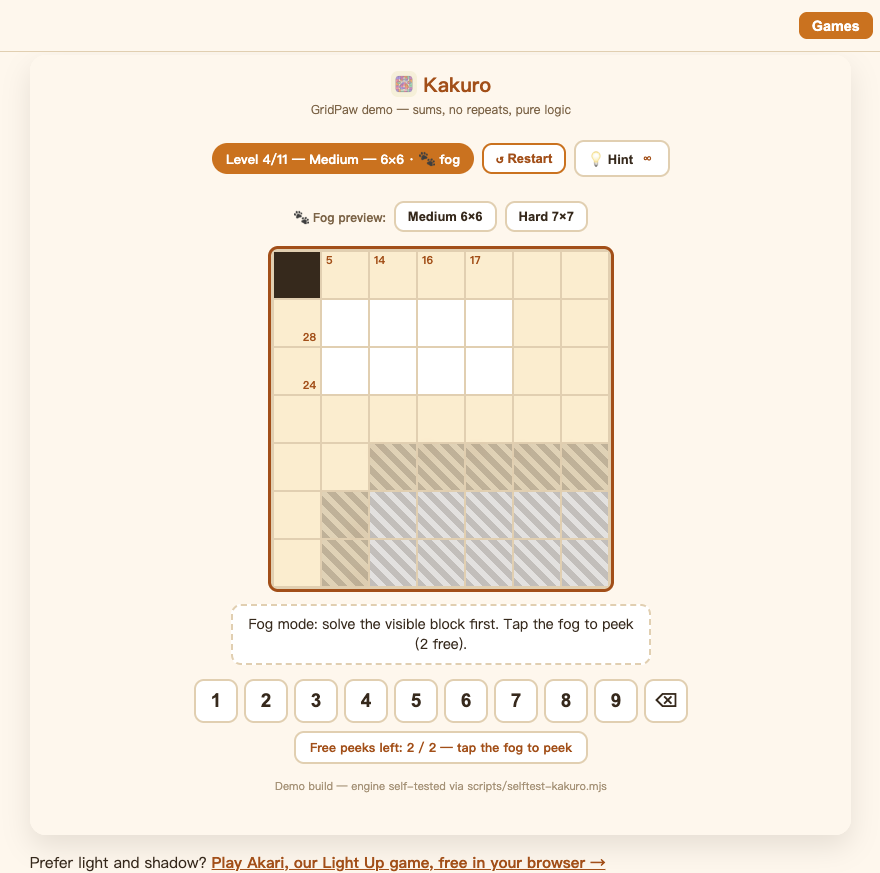
From the first Medium level (campaign level 4) the board is split into two blocks and the far block hides under a paw-print fog:
- Solve the visible block first. Once every run in the visible block sums correctly, the fog lifts ("Fog lifted!") and the far side is revealed. The blocks never share a run, so the reveal can never trap you — every fog board is verified to have exactly one solution.
- Tap the fog to peek. Each fog level gives you 2 free peeks: tapping a fogged cell reveals it (and the clue numbers of its runs). The peek bar below the board shows
Free peeks left: N / 2. - Out of peeks? A small popup offers more (a "Watch ad" option or "Cat coins" mode) — in the current demo build this is a mock-up and nothing is actually charged. Close it with ✕ and keep solving by logic.
There is no fog in the Easy levels, and the Hard boards use a denser wall layout instead of a bigger grid.
Levels, Progress & Daily Puzzles
The journey is: 4 tutorials → 11-level campaign → endless daily puzzles.
| Section | Board | Fog? |
|---|---|---|
| Tutorial 1–4 | Tiny guided boards (3×4 up to 5×5) | No |
| Easy: Levels 1–3 | 5×5 | No — "Easy has no fog" |
| Medium: Levels 4–7 | 6×6 | Yes — fog starts here |
| Hard: Levels 8–11 | 7×7 | Yes |
| Daily (after level 11) | Alternates 6×6 / 7×7 | Yes |
- The chip above the board says
Tutorial 1/4 — <lesson>, thenLevel N/11 — Easy/Medium/Hard — S×S, andDailyonce the campaign is done. - Progress saves automatically in your browser (your current campaign level) — close the tab and come back later; you resume where you left off.
- Daily puzzles are endless and the same for everyone on the same day — the board is seeded by the date and alternates Medium and Hard. Perfect for comparing times with friends.
Winning & Sharing
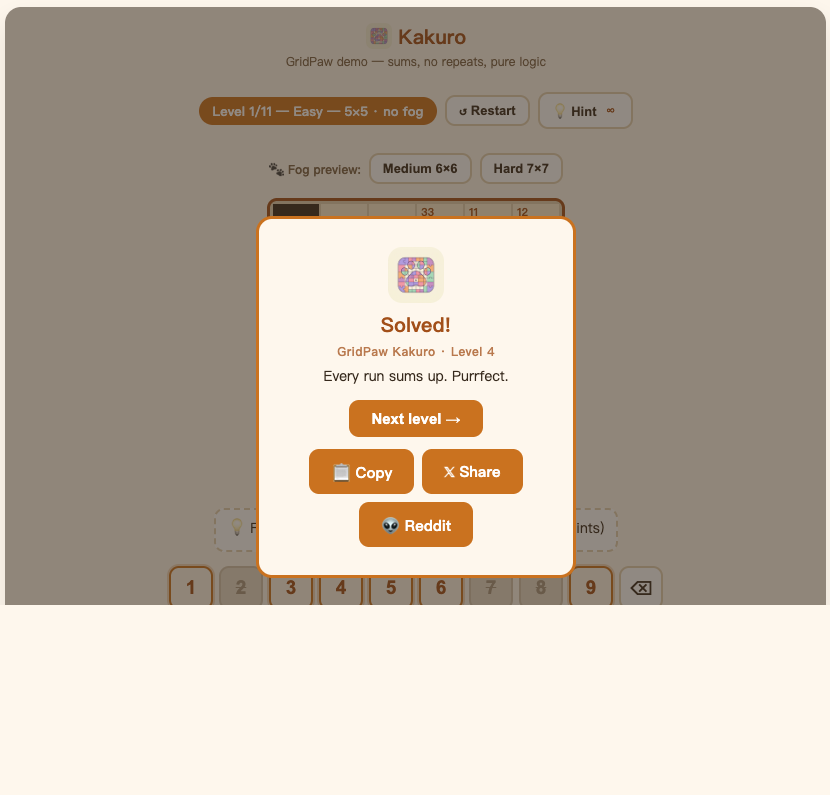
When the board is fully correct the "Solved!" overlay appears (or "Daily solved!" for a daily board). Finishing all 11 campaign levels shows "Campaign complete! Endless daily puzzles unlocked."
- Next level → — continues the campaign or starts the next daily puzzle.
- 📋 Copy — copies a one-line bragging summary.
- 𝕏 Share / 👽 Reddit — open a "Your board" share card with your finished grid: 📋 Copy Image, ⬇️ Save as PNG, or post directly to 𝕏 / Reddit.
Frequently Asked Questions
Do I need an account to play Kakuro?
No. Everything is playable without signing in; progress is saved in your browser.
What do the two small numbers in a black cell mean?
The number in the top-left (next to the wall's corner) is the clue for the run going down; the number bottom-right is the clue for the run going right. Tap any clue cell and the run it controls lights up, so you always know which cells a number governs.
Why won't my digit stay?
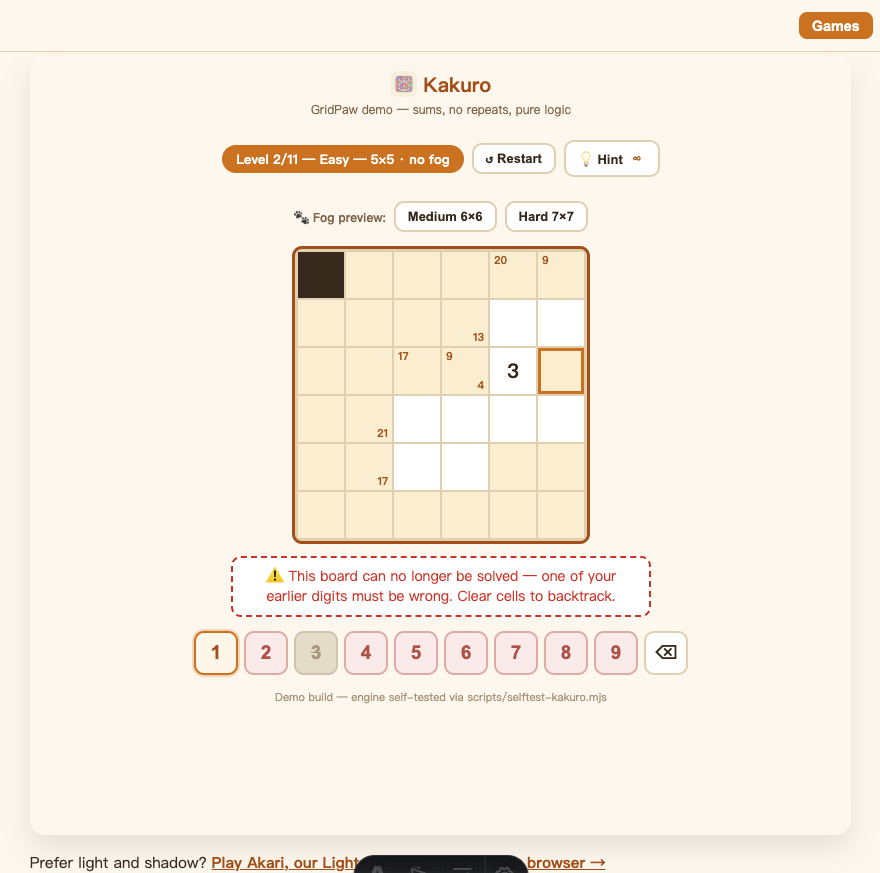
It was wrong for one of two reasons: the digit is already used in that run (flashes red, "no repeats!") or it would overflow the run's clue sum (flashes orange). The game never keeps an invalid digit — and if your board becomes impossible to finish, it tells you ("one of your earlier digits must be wrong").
What does the keypad coloring mean?
Struck-through = duplicate in this cell's runs; pink background = larger than the remaining sum; amber ring = legal. It's a live hint system that teaches the rules as you play.
How many hints do I get?
3 per level, shown on the hint button badge. They refill on the next level. Peek allowances (2 per fog level) are separate from hints.
Is there a timer or lives?
No. Kakuro on GridPaw has no lives and no countdown — you can take as long as you like, and even step away; your level is saved.
Is fog mode fair?
Yes — fog blocks never share a run, and every fog board is generated with exactly one solution, so lifting the fog never breaks your progress.