 GridPaw
How to Play Akari (Light Up)
Akari (also called Light Up) is a Japanese logic puzzle from Nikoli. You place glowing cats (the "lights") on a grid of white cells. Every white cell must be lit by at least one cat, and no two cats may ever face each other along the same row or column — unless a black wall cell blocks their view. The dark wall cells sometimes carry a number: that number tells you exactly how many cats must sit in the four cells directly touching it (0–4). The puzzle is solved when every white cell is lit, every number is satisfied, and no two cats see each other. GridPaw is Akari with cat visuals: unlimited procedurally generated puzzles, free, no sign-up required to play.
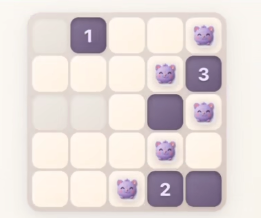
Your First Puzzle
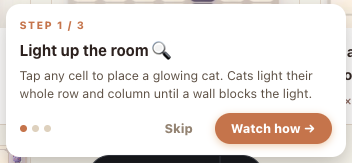
- Open the game. Go to gridpaw.com/akari. Level 1 starts on a small 3×3 board with a coach popup that teaches the rules in 3 steps: "Light up the room" → "Watch: right vs wrong" → "Your turn". Levels 1–4 are hand-built tutorial boards, so you can't get stuck on the basics.
- Place a cat. Click or tap any empty white cell — a cat appears and lights its entire row and column until a wall blocks the beam. Click the same cell again to remove it.
- Read the numbered walls. A black cell with
4means all 4 neighbor cells get cats. A0means none of them do. You can ✗-mark a cell you want to exclude: double-click or right-click on desktop, or press-and-hold on touch screens. - Fill until everything is lit. You win the moment all white cells are lit, every number has its exact neighbor count, and no two cats see each other — the game checks for you and shows the win popup automatically.
Every Button on the Screen
| Button | What it does |
|---|---|
| 💡 Hint | Highlights the next correct cell for 2 seconds and shows "Hint: try row X, col Y". Unlimited and free — no counter. If you make 2 wrong moves in a row, the button pulses to get your attention. |
| ↩️ Undo (Ctrl+Z / ⌘+Z) | Undoes your last change. |
| ↪️ Redo (Ctrl+Y / ⌘+Shift+Z) | Re-applies a change you just undid. |
| 🔄 New | Skips ahead: discards the current puzzle, moves you up one level, refills your 3 lives and generates a fresh board at the next level. It does not regenerate the same level. |
| 🗑️ Restart | Clears your cats on the current puzzle, refills your lives and restarts the timer — same level, same layout. |
| 🔇 / 🔊 Sound | Toggles game sounds. Off by default — click once to turn sounds on. |
| 🔥 Daily | Link to the Daily Challenge page (/akari/daily/): one fresh 10×10 puzzle per day, the same for every player, with streaks and a leaderboard. Weekends run a larger 14×14 "Weekend Super" board. |
| 📋 Copy Result / 𝕏 Share / 👽 Reddit (after winning) | Opens the victory flow: copy a text summary, or open the share card with Copy Image / Save / post options. |

Your 3 Lives
The three hearts in the top bar are lives. Placing a cat that violates a rule — too many cats around a number or two cats facing each other — flashes the offending cells, plays an error sound and costs you one heart. Lose all three and you get "Game Over! Try again." before the board resets automatically. Lives refill on Restart, on New, and on every level-up.
Difficulty Levels
Levels are sequential (1, 2, 3, …∞). The board size and badge grow with the level:
| Tier | Grid | Notes |
|---|---|---|
| Tutorial (levels 1–3) | 3×3 | Hand-built lesson boards + coach popup |
| Level 4 | 4×4 | Hand-built "put it together" board |
| Easy (levels 5–6) | 6×6 | |
| Medium (levels 7–9) | 7×7 | |
| Medium-Hard (levels 10–12) | 8×8 | |
| Hard (levels 13–15) | 9×9 | 🔥 badge shown |
| Expert (levels 16–18) | 10×10 | |
| Master (level 19+) | 12×12 | Largest boards |
The cat art also changes every 3 levels. The progress line under the board
shows how many of the puzzle's cats you've placed (e.g. 4 / 7 cats placed),
and a timer tracks your solve time — your best time per difficulty is saved as
a trophy (🏆) in your browser.
Winning & Sharing
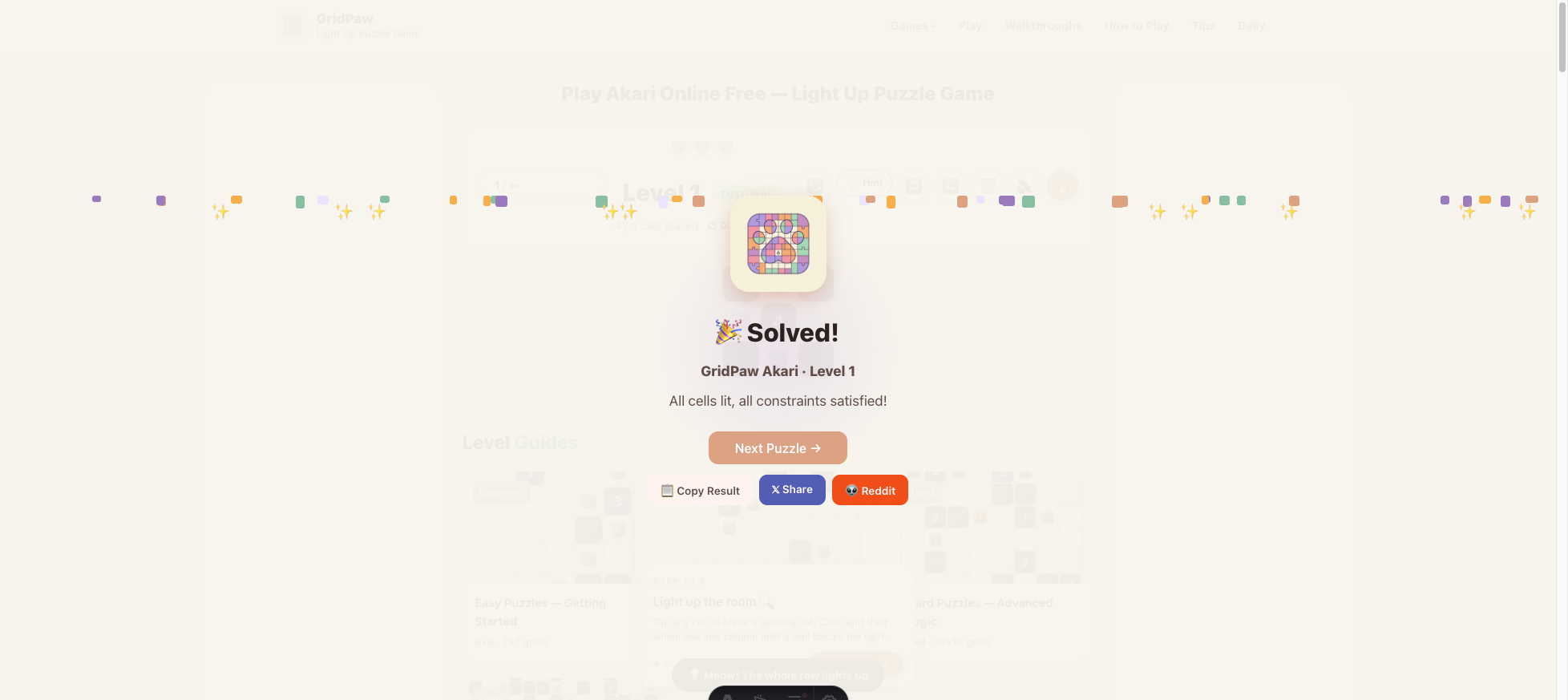
As soon as the board is correct, the "🎉 Solved!" popup appears with confetti and:
- Next Puzzle → — jump to the next level; also refills your lives. If you don't click it, the game auto-advances after about 3 seconds.
- 📋 Copy Result — copies a one-line summary of your win to the clipboard.
- 𝕏 Share / 👽 Reddit — open a "Your board" share card with your finished grid, where you can 📋 Copy Image, ⬇️ Save it as PNG, or post directly to 𝕏 or Reddit.
No sign-in is needed to play or share. If you do sign in on the Daily page, your level syncs across devices automatically.
Frequently Asked Questions
Do I need an account to play Akari?
No. Everything works without signing in. Your current level, lives and board are auto-saved in your browser's local storage (kept for 24 hours), so a refresh or a closing tab doesn't lose your game.
Why won't my cat place, or why did I lose a life?
Placing it broke a rule: too many cats around a numbered wall, or two cats facing each other along a row/column with no wall between. The toast tells you which one. Remove the cat and try another cell.
I'm stuck. What do I do?
Press Hint — it's free and unlimited here. It always points at a cell that is correct in the final solution. Two wrong moves in a row make the button pulse.
What does the ✗ mark do?
Classic Akari solvers mark cells that must stay empty. Double-click (or right-click on desktop, long-press on mobile) toggles it. It's a memory aid — the game doesn't count it as a move.
Is this the same as classic Akari?
Yes — identical rules to the Nikoli puzzle. GridPaw just generates unlimited free boards with cat art.
Can I play on my phone?
Yes — tap to place/remove, long-press to ✗-mark. The Daily page tracks streaks and a leaderboard if you sign in.